

SHOPIFY GIFT GUIDE
How to Deliver Birthday Gifts on Time with ShopifyDelivery dates, message cards and wrapping
Birthdays don't follow a season — gift orders for them come in every week of the year. What shoppers care about most is simple: will it arrive on the day? Here's how to set up your Shopify cart for birthday gifts.
What matters for birthday gifts
- Arriving on the day — shoppers pick a delivery date from a calendar that only shows dates you can meet.
- A birthday message — a message card and a field for the note.
- The unwrapping moment — wrapping and boxes shoppers can see before they choose.
- No prices — a gift receipt with the price left out.
Let shoppers choose the delivery date
Set your earliest date, cutoff and closed days once; the calendar shows only valid dates. Add time slots and where to leave it so the gift isn't left on a doorstep all day.
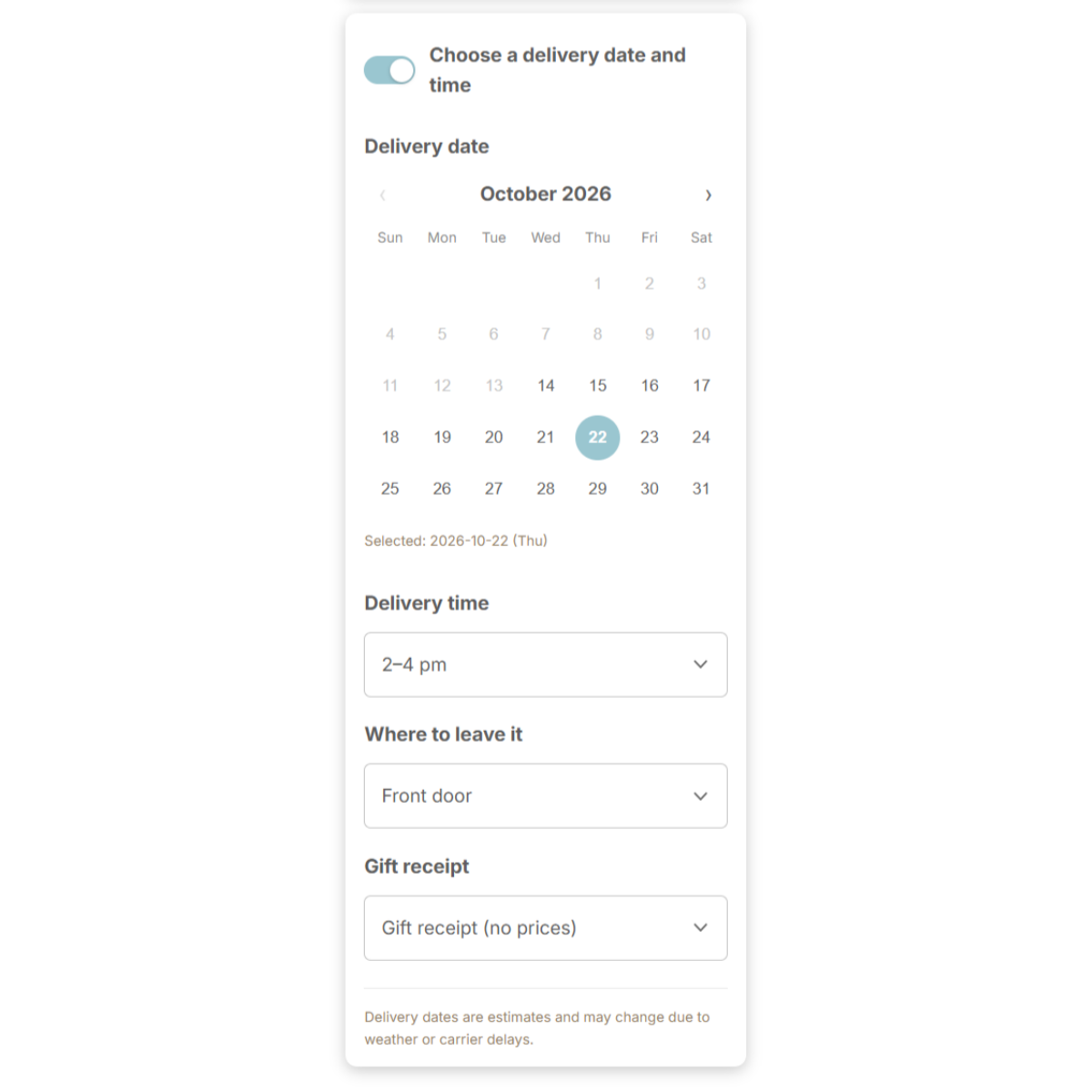
Delivery choices are saved in the order note and can appear on the thank-you page, so shoppers can double-check the date. (Guide)
Message cards and wrapping
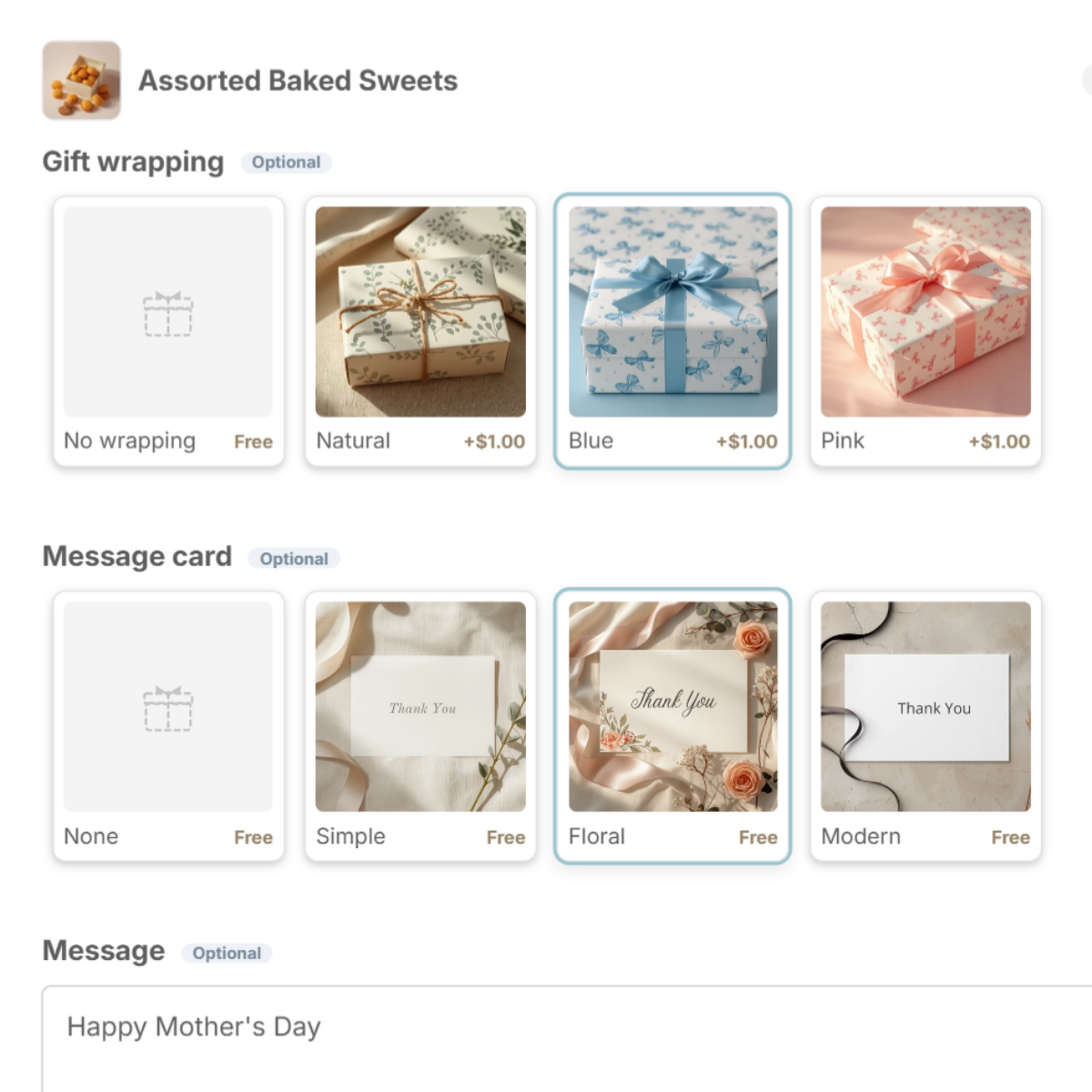
Pick a message card and the message field appears below it, with limits you set. On Pro, export the messages to CSV and make the cards in bulk. (Guide)
Set it up with Gift Style
- Install and turn on the app — add Gift Style from the Shopify App Store, then switch it on under App embeds in your theme. (Guide)
- Add the block to your cart page — in the theme editor, open the Cart page and add the Gift options block. (Guide)
- Add a preset — press Wrapping set and Message card set and the choices drop in, complete with images. Swap in photos of your own wrapping and cards when you are ready. (Guide)
- Pick the products and save — choose which products the options apply to. (Guide)
- Turn on delivery dates (optional) — open Delivery in the app and switch on the date calendar, time slots, where to leave it and gift receipt. (Guide)

See Gift Style on the Shopify App Store
Free to install. Try delivery dates and message cards on the Free plan.