

How to Add a Delivery Date Picker to Your Shopify CartCalendar, time slots, safe drop and gift receipts
Gifts are about timing. "Can it arrive on her birthday?" "Can you deliver after the 20th?" Yet Shopify's standard checkout has no field for a preferred delivery date or time. This guide shows how to collect delivery dates, time slots, safe-drop instructions and gift receipt preferences right in the cart.
What a good delivery date picker needs
- Only valid dates — if shoppers can pick a Sunday you don't ship, or a date you can't make, you end up emailing them to fix it.
- A same-day cutoff — "orders before 2 pm ship today" should move the earliest date automatically.
- Closed dates — holidays, stock-taking days and vacations, added once.
- Products that can't be scheduled — some items ship by a method with no date selection.
Set it up with Gift Style
Gift Style adds delivery fields to your cart page. Use them with gift options or on their own — they are included on every plan, Free too.
- Install and turn on the app — add it from the App Store and switch on Gift Style under App embeds. (Guide)
- Add the block to your cart page — the delivery fields appear below the Gift options block. (Guide)
- Turn on what you need — open Delivery in the app, tick the date calendar, time, where to leave it and gift receipt, and save. (Guide)
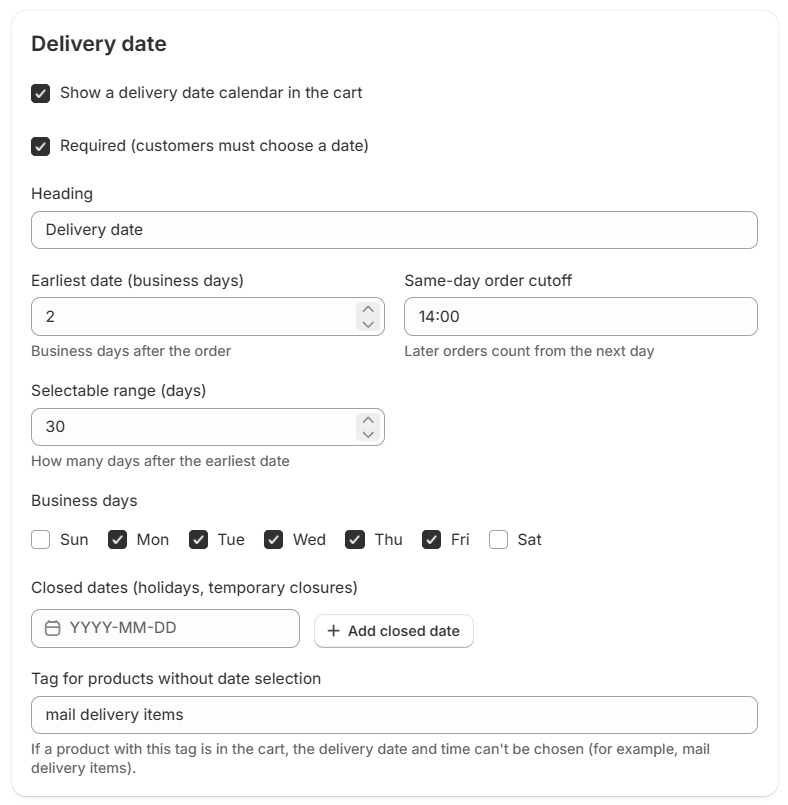
The settings you can use:
- Earliest date (business days) and a same-day order cutoff
- Selectable range — how many days ahead shoppers can choose
- Business days and closed dates — add holidays or closures by date
- Tag for products without date selection — if a tagged product is in the cart, no date can be chosen
- Required — shoppers must choose a date before checking out
What shoppers see
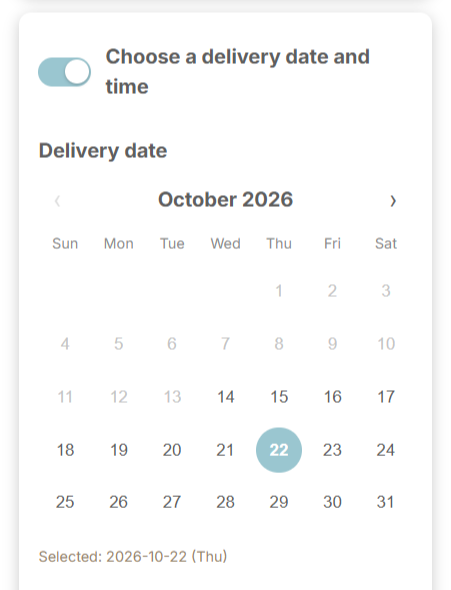
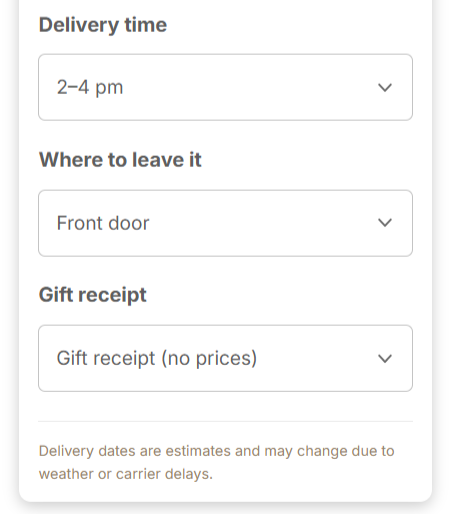
The calendar only lets shoppers pick valid dates; closed days and dates before the earliest date are greyed out. Time slots, where to leave it and gift receipt are simple dropdowns, and you can edit every choice to match your carrier.
After the order comes in
Delivery choices are saved to the order's additional details and the order note, so you see them when you pack. They can also appear on the thank-you and order status pages, so shoppers can double-check what they chose. (Guide) On Pro, the Shipping page lists these orders by delivery date.
FAQ
Does it work with gift wrapping and messages?
Yes. The delivery fields sit right below the gift options. You can also use delivery dates on their own.
Can I change the time slots?
Yes. The defaults are "No preference / Morning / Afternoon / Evening". Edit or add slots to match your carrier.

See Gift Style on the Shopify App Store
Free to install. Delivery dates, time slots and gift receipts are included on every plan.