

SHOPIFY GIFT GUIDE
How to Sell Mother's Day Gifts on ShopifyWrapping, messages and on-time delivery
Mother's Day (the second Sunday in May in the US, Canada, Japan and many other countries) is one of the biggest gift days of the spring. Orders start building in April and peak in the final week, and almost everyone wants the gift to arrive on the day. Here's how to prepare your Shopify store.
What Mother's Day shoppers ask for
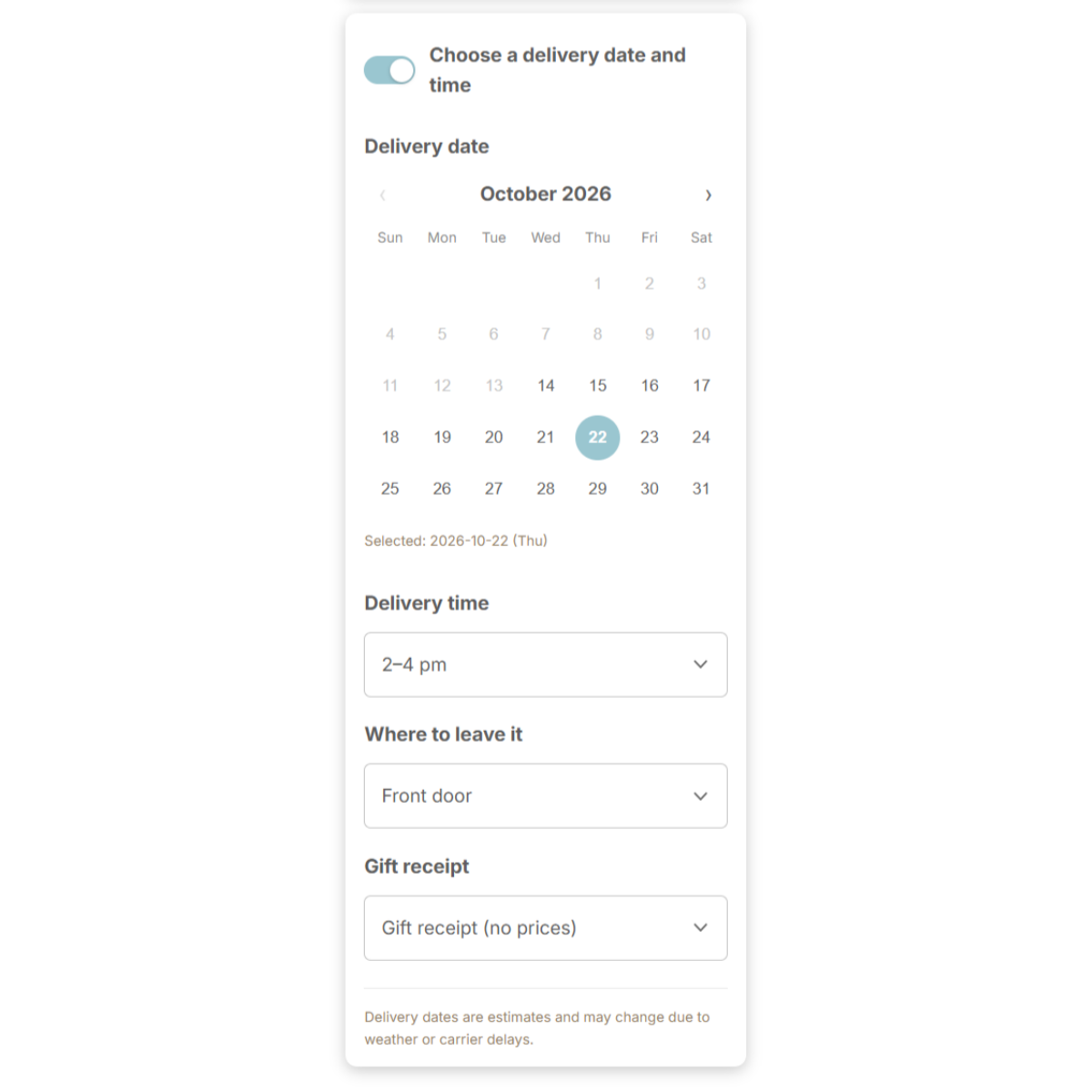
- Arrive on Mother's Day — without a delivery date field, you'll get the question by email instead.
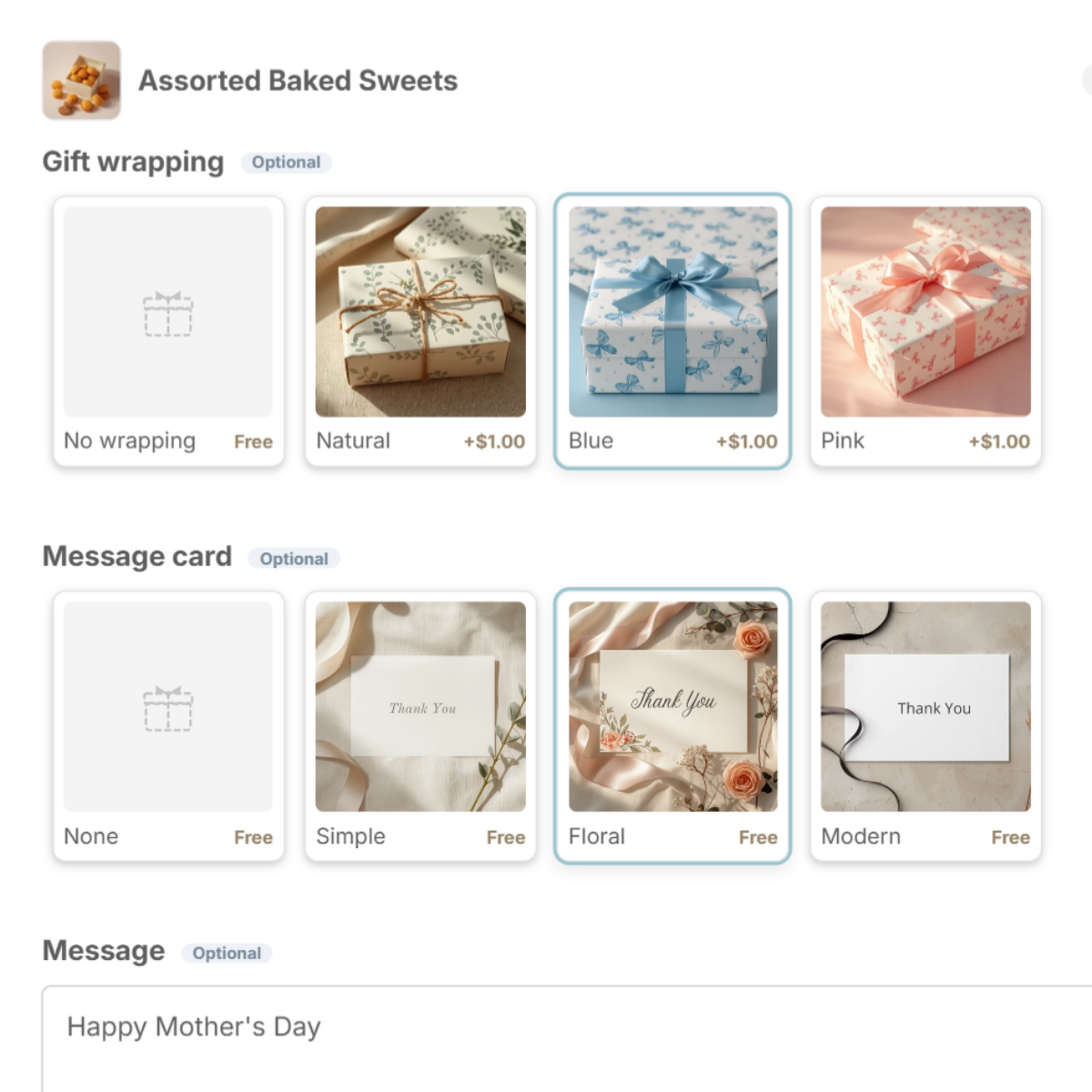
- Gift-ready wrapping — soft colors, a gift box, a ribbon.
- A few words — a message card and a field to write in.
- No prices — a gift receipt with the price left out.
Wrapping and message cards
Add a seasonal wrap and a floral card for the weeks before Mother's Day, then switch back. Shoppers choose from photos in the cart.
Delivery dates you can meet
- Last order date — decide when orders stop being guaranteed for the day, and say it in a notice under the delivery fields.
- Earliest date — enter your packing time so dates you can't make are greyed out.
- Time slots — let shoppers pick a time someone will be home.
Add something extra
Suggest a card, a small treat or flowers in the "You may also like" row. One tap adds it to the cart. (Guide)
Set it up with Gift Style
- Install and turn on the app — add Gift Style from the Shopify App Store, then switch it on under App embeds in your theme. (Guide)
- Add the block to your cart page — in the theme editor, open the Cart page and add the Gift options block. (Guide)
- Add a preset — press Wrapping set and Message card set and the choices drop in, complete with images. Swap in photos of your own wrapping and cards when you are ready. (Guide)
- Pick the products and save — choose which products the options apply to. (Guide)
- Turn on delivery dates (optional) — open Delivery in the app and switch on the date calendar, time slots, where to leave it and gift receipt. (Guide)
See Gift Style on the Shopify App Store
Free to install. Try wrapping, message cards and delivery dates on the Free plan.