

How to Charge for Gift Wrapping in the Shopify CartGift box and message card fees, added automatically
Wrapping takes time and materials, so many stores charge for it. Shopify doesn't let you put a price on an option out of the box. This guide shows how to charge for gift wrapping, gift boxes and message cards right in the cart.
The usual workarounds, and their problems
- A "Gift wrap" product shoppers add themselves — people forget to add it, and you can't tell which item it was for.
- A "with gift wrap" variant on every product — doubles your variants and complicates inventory.
Set a fee with Gift Style
With Gift Style, you type a price on a choice. When a shopper picks it, the amount is added to the cart total automatically (Standard and above).
- Add your choices — for example the Message card set or Gift box set preset. (Guide)
- Enter the fee — type the amount in Extra fee. Choices left at 0 stay free.
- Save — that's it. (Guide)
What shoppers see
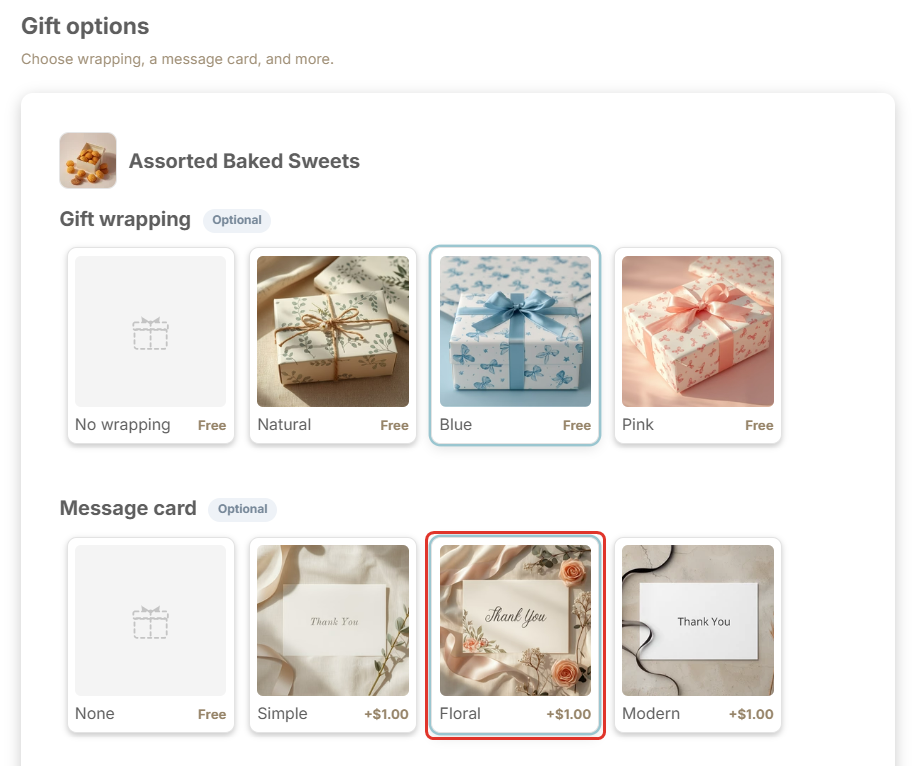
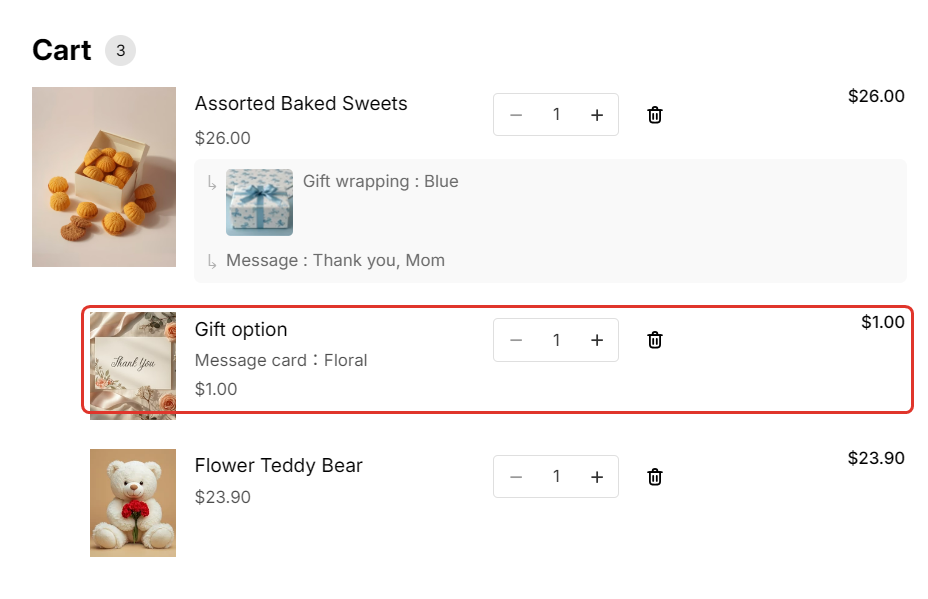
Prices show on each choice. Pick a paid one and a fee line appears under the product — for example "Message card: Floral $1.00" — and is added to the total. Shoppers always know which item it belongs to.
It carries through to checkout and the order
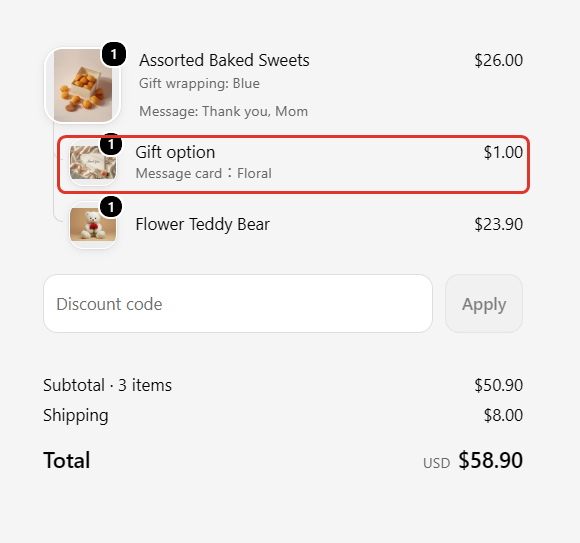
The fee line stays under the product at checkout and on the order, along with the chosen options, so you can check everything when you pack.
FAQ
Does the app create a product?
Yes, a fee product named "Gift option" is created to calculate charges. It is hidden from your collections and search once the app embed is on. Please don't delete it.
Can I charge on the Free plan?
Fees start from Standard ($8/month). On Free, options work as free choices. Standard and Pro include a 7-day free trial.

See Gift Style on the Shopify App Store
Fees start on Standard, with a 7-day free trial.