

Black Friday and Cyber Monday Checklist for Shopify Gift StoresTurn holiday shoppers into gift orders
Black Friday and Cyber Monday kick off holiday shopping, and a large share of those orders are gifts. Shoppers who are buying for someone else look for gift wrapping, a gift message and a way to make sure it arrives in time. Here's what to set up in your Shopify store before the rush.
1. Make "it's a gift" easy
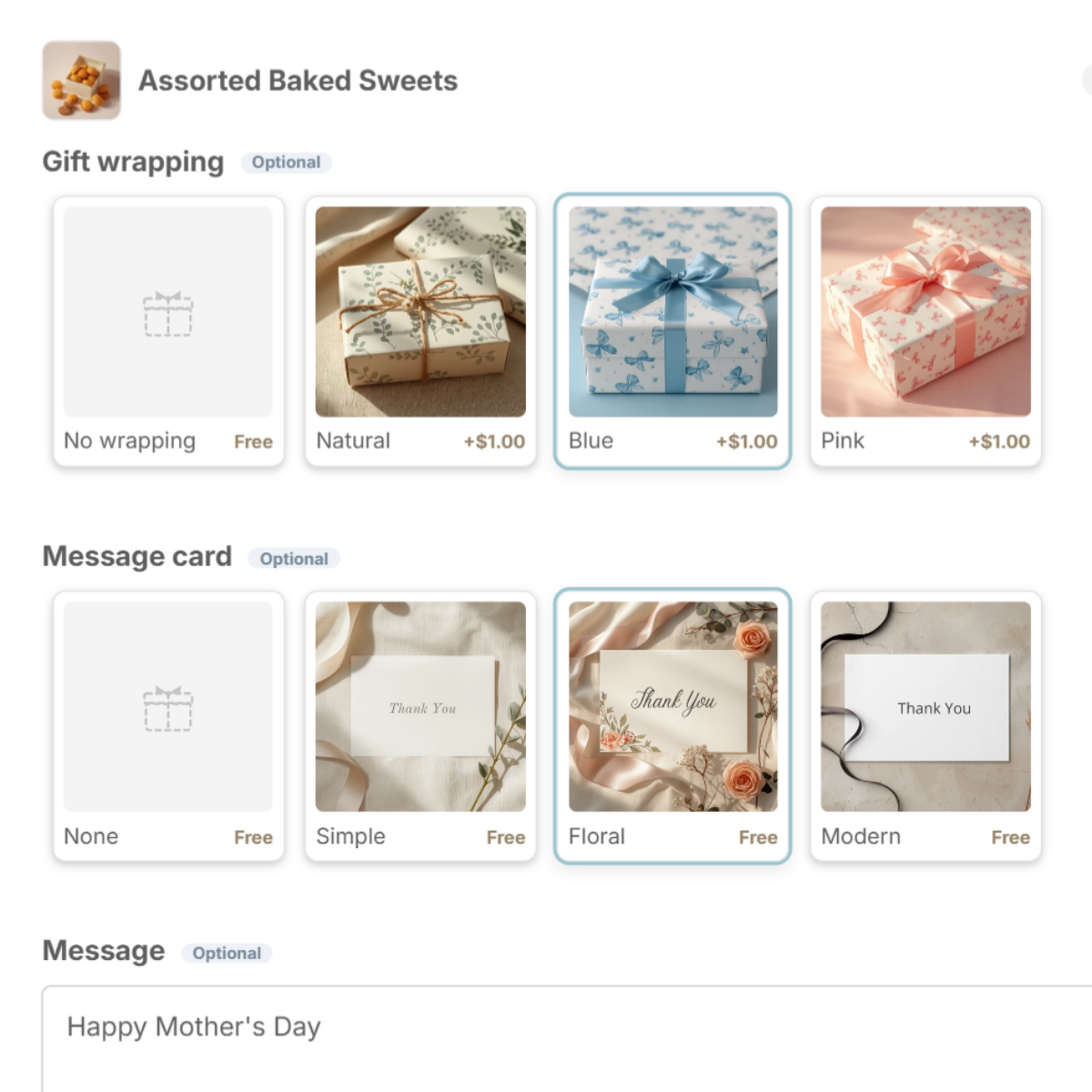
Give shoppers a clear place to say an order is a gift: wrapping, a gift box, a message card and a message field. Show them as photos, right in the cart, so the decision takes seconds.
2. Raise order value with paid add-ons
- Premium wrapping or gift boxes — a small fee per item adds up across the season (Standard and above).
- Related items — suggest cards, ribbons or small extras in a "You may also like" row. One tap adds them to the cart.
See how to charge for gift wrapping.
3. Answer "will it arrive in time?"
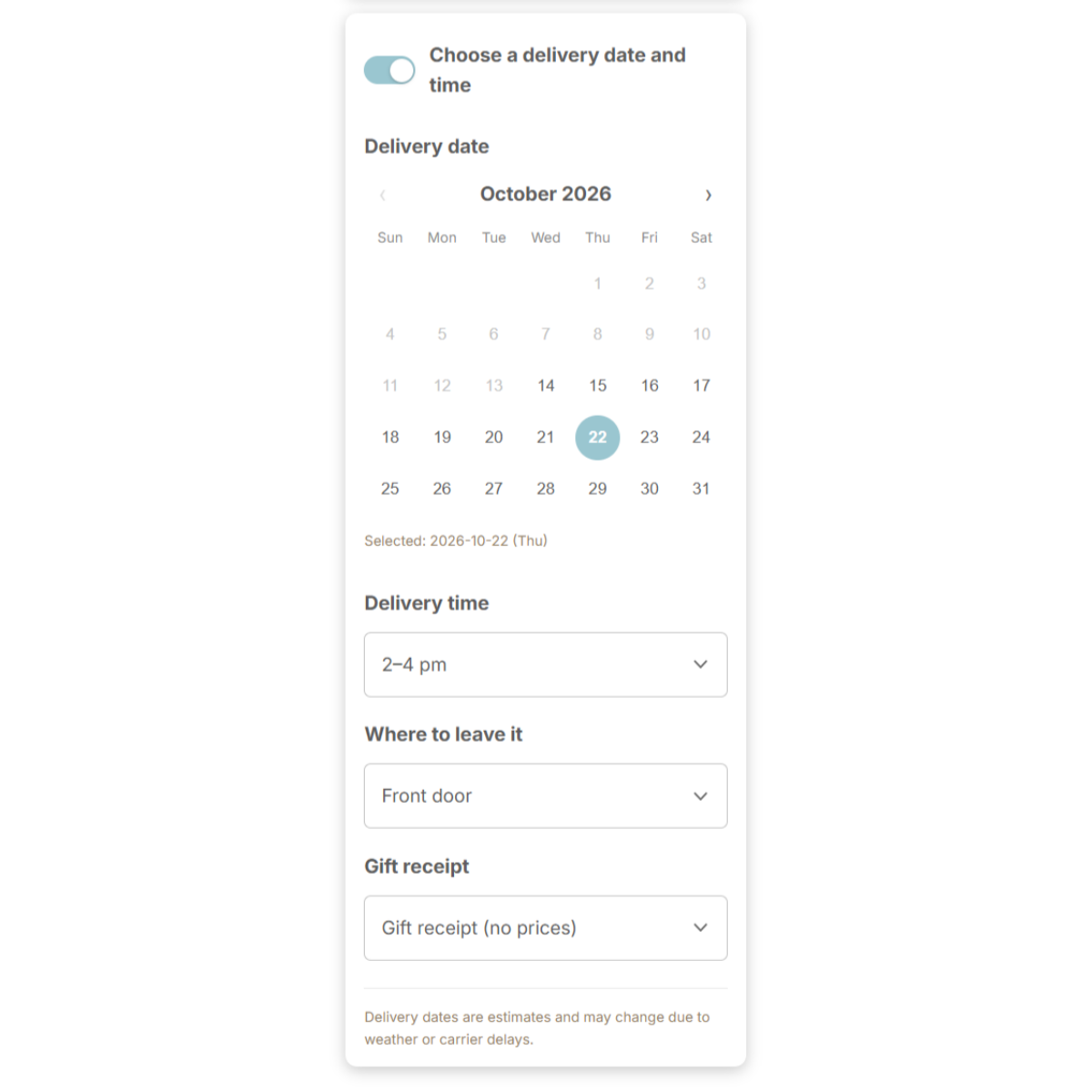
Holiday shoppers worry about timing. A delivery date calendar that only shows dates you can meet answers the question before they email you. Set your closed dates for the holidays now.
4. Hide the price on gift orders
Let shoppers choose a gift receipt with no prices. It's one of the most common requests on gift orders.
5. Get packing ready
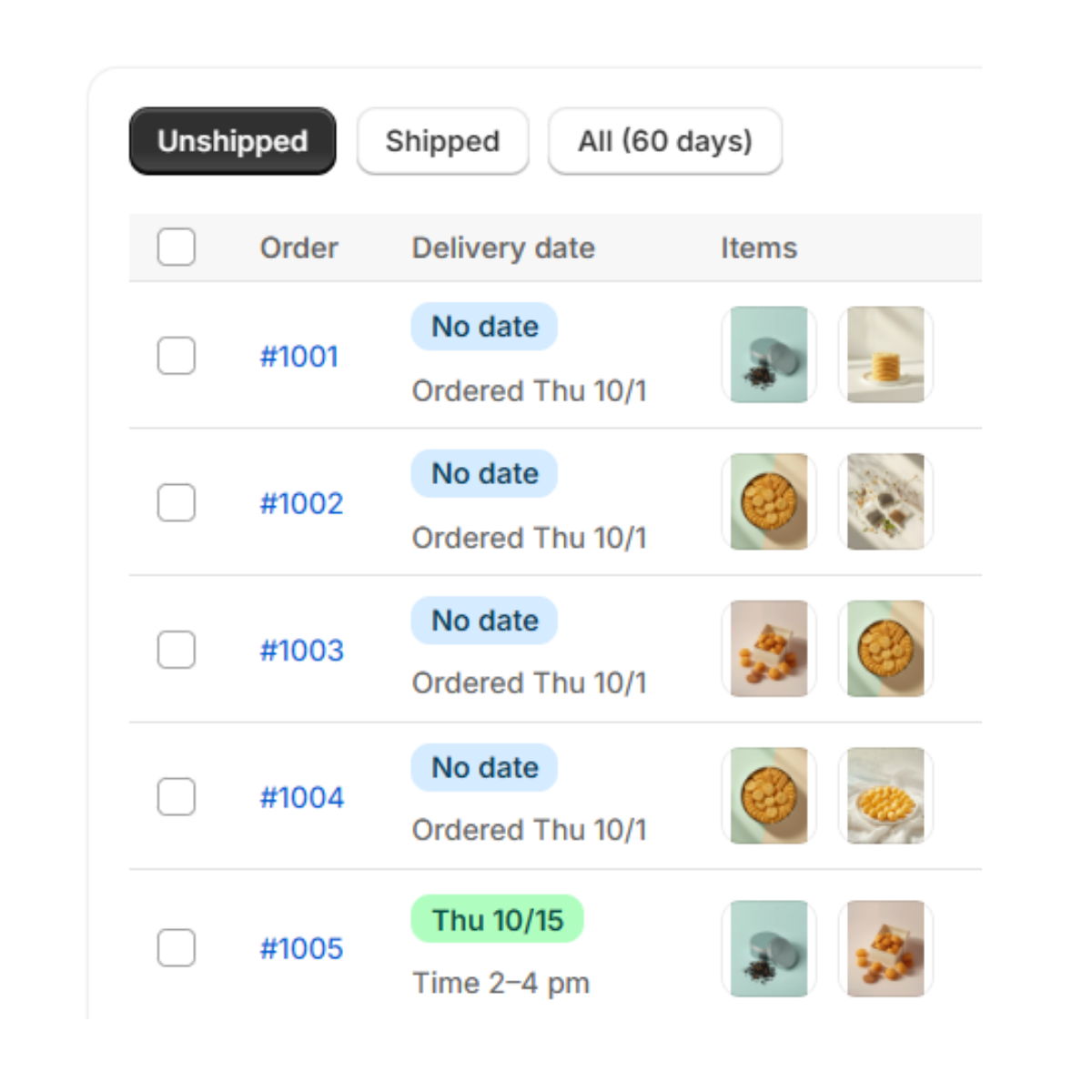
- Find gift orders fast — orders with gift options are tagged "Gift Style" automatically.
- Pack in the right order — on Pro, the Shipping page sorts gift orders by delivery date.
- Don't miss a note — tick each item as it's wrapped, or print work sheets.
Set it up with Gift Style
- Install and turn on the app — add Gift Style from the Shopify App Store, then switch it on under App embeds in your theme. (Guide)
- Add the block to your cart page — in the theme editor, open the Cart page and add the Gift options block. (Guide)
- Add a preset — press Wrapping set, Message card set or Gift box set and the choices drop in, complete with images. Swap in photos of your own wrapping and cards when you are ready. (Guide)
- Pick the products and save — choose which products the options apply to. (Guide)
- Turn on delivery dates (optional) — open Delivery in the app and switch on the date calendar, time slots, where to leave it and gift receipt. (Guide)
Checklist
- Gift wrapping, gift boxes and message cards are set up with photos
- Fees for premium wrapping are decided
- Add-on products are chosen for "You may also like"
- Holiday closed dates and cutoffs are in the delivery calendar
- Gift receipt (no prices) is available
- You know how you'll find and pack gift orders

See Gift Style on the Shopify App Store
Free to install. Set up gift options before Black Friday and try fees with a 7-day free trial.